
Chapter Text

barry
@barrythebee
According to all known laws of aviation, there is no way a bee should be able to fly...🐝
23.3K Retweets 924 Quote Tweets 72.1K Likes
Step 1: Import the Workskin
Workskins are pieces of code (stylesheets) that allow you to change the formatting of your work. Go to [My Dashboard] > [Skins] > [My Work Skins] > [Create Work Skin]. In the CSS area, paste this:
#workskin .twt {
  float: center;
  max-width: 450px;
  min-width: 300px;
  margin: 0em auto;
  padding-left: 20px;
  padding-right: 20px;
  border: 1px solid #c7c7c7;
  border-radius: 10px;
  font-family: system-ui, -apple-system, BlinkMacSystemFont, "Segoe UI", Roboto, Ubuntu, "Helvetica Neue", sans-serif;
}

#workskin .twt-header {
  overflow: hidden;
  margin-bottom: -3em;
}

#workskin .twt-icon-container {
  float: left;
}

#workskin .twt-icon {
  border-radius: 50%;
  width: 3.5em;
}

#workskin .twt-iconquote {
  border-radius: 50%;
  width: 2em;
}

#workskin .twt-id {
  font-size: 1em;
  padding-left: 1em;
  overflow: hidden;
}

#workskin .twt-name {
  font-weight: bold;
}

#workskin .twt-name:hover {
  text-decoration: underline;
  cursor: pointer;
}

#workskin .twt-handle {
  color: #657786;
}

#workskin .twt-handle:hover {
  cursor: pointer;
}

#workskin .twt-content {
  font-size: 1.3em;
  margin-bottom: -1em;
}

#workskin .twt-contentquote {
  margin-top: -1em;
  font-size: 1em;
}

#workskin .twt-timestamp {
  color: #657786;
  font-size: 1em;
}

#workskin hr.twt-sep,
#workskin hr.twt-sep-reply {
  border: none;
  height: 1px;
  width: 100%;
  background-color: #e6e6e6;
}

#workskin hr.twt-sep-reply {
  margin-left: -20px;
  padding-right: 40px;
}

#workskin .twt-stat1 {
  color: #657786;
  font-size: 0.9em;
}

#workskin .twt-quotebox {
  padding-left: 10px;
  padding-right: 10px;
  border: 1px solid #c7c7c7;
  border-radius: 10px;
  margin-bottom: -1em;
}

#workskin .twt-image {
  float: center;
  max-width: 100%;
  border: 1px solid #c7c7c7;
  border-radius: 10px;
  margin-bottom: -1em;
}

#workskin .twt-replybox {
  margin-top: -2em;
}

#workskin .twt-icon-replycontainer {
  float: left;
}

#workskin .twt-replycontainer {
  padding-left: 1em;
  overflow: hidden;
}

#workskin .twt-replycontent {
  margin-top: -1em;
}

#workskin .twt-stat2 {
  color: #657786;
  font-size: 0.9em;
  margin-top: -1em;
}

#workskin .twt-social {
  float: left;
  margin-right: 2em;
  margin-bottom: -1em;
}

#workskin .twt-socialimg {
  height: 13px;
  margin-right: 3px;
}

#workskin .twt-hl {
  color: #1DA1F2;
}

#workskin .twt-hl:hover {
  text-decoration: underline;
  cursor: pointer;
}
Step 2: Adding Work Skin to your work
In order to use this workskin, you must first add it to your work. Create a new work or edit an existing one. Under 'Associations', at 'Select Work Skin', select the workskin you just imported. Now you can use it. You have to edit your chapters in HTML mode when you use a workskin. It is strongly advised to add these codes after you have completed your story. This is to minimize the chances of the code being messed up during editing.
Plain tweet
barry
@barrythebee
According to all known laws of aviation, there is no way a bee should be able to fly...🐝
23.3K Retweets 924 Quote Tweets 72.1K Likes
HTML:
<div class="twt">
<div class="twt-header">
<div class="twt-icon-container">
<img class="twt-icon" src="https://i.imgur.com/Q31haWS.jpg">
</div><div class="twt-id">
<span class="twt-name">barry</span><br />
<span class="twt-handle">@barrythebee</span>
</div>
</div>
<div class="twt-content">According to all known laws of aviation, there is no way a bee should be able to fly...🐝</div>
<div class="twt-timestamp">8:14 AM · Oct 2, 2020</div>
<hr class="twt-sep"><div class="twt-stat1"><strong>23.3K</strong> Retweets <strong>924</strong> Quote Tweets <strong>72.1K</strong> Likes</div>
</div>
Explanation:
twt-icon is your avatar
twt-name is your display name, and twt-handle is your @
twt-content is the body of your tweet
If you want to add a hashtag, use:
<span class="twt-hl">#hashtag</span>
to get #forever
If you want to add a verified checkmark, add this code after your name:
<img class="twt-socialimg" src="https://i.imgur.com/wStuVM9.png">
to get 
Tweet with quote
barry
@barrythebee
According to all known laws of aviation, there is no way a bee should be able to fly...🐝

barry @donkey · Sept 5
i'm donkey!
23.3K Retweets 924 Quote Tweets 72.1K Likes
HTML:
<div class="twt">
<div class="twt-header">
<div class="twt-icon-container">
<img class="twt-icon" src="https://i.imgur.com/Q31haWS.jpg">
</div><div class="twt-id">
<span class="twt-name">barry</span><br />
<span class="twt-handle">@barrythebee</span>
</div>
</div>
<div class="twt-content">According to all known laws of aviation, there is no way a bee should be able to fly...🐝</div><div class="twt-quotebox">
<div class="twt-header">
<div class="twt-icon-container">
<img class="twt-iconquote" src="https://i.imgur.com/D0aVIAd.png">
</div><div class="twt-id">
<span class="twt-name">barry</span> <span class="twt-handle">@donkey · Sept 5</span>
</div>
</div>
<div class="twt-contentquote">i'm donkey!</div>
</div>
<div class="twt-timestamp">8:14 AM · Oct 2, 2020</div>
<hr class="twt-sep"><div class="twt-stat1"><strong>23.3K</strong> Retweets <strong>924</strong> Quote Tweets <strong>72.1K</strong> Likes</div>
</div>
Explanation:
twt-quotebox is is where the quoted tweet is contained in
twt-iconquote is the small icon in the quoted tweet
twt-id is where the display name and handle of the quoted tweet is contained in
twt-contentquote is the content of the quoted tweet
Tweet with image(s)
barry
@barrythebee
According to all known laws of aviation, there is no way a bee should be able to fly...🐝
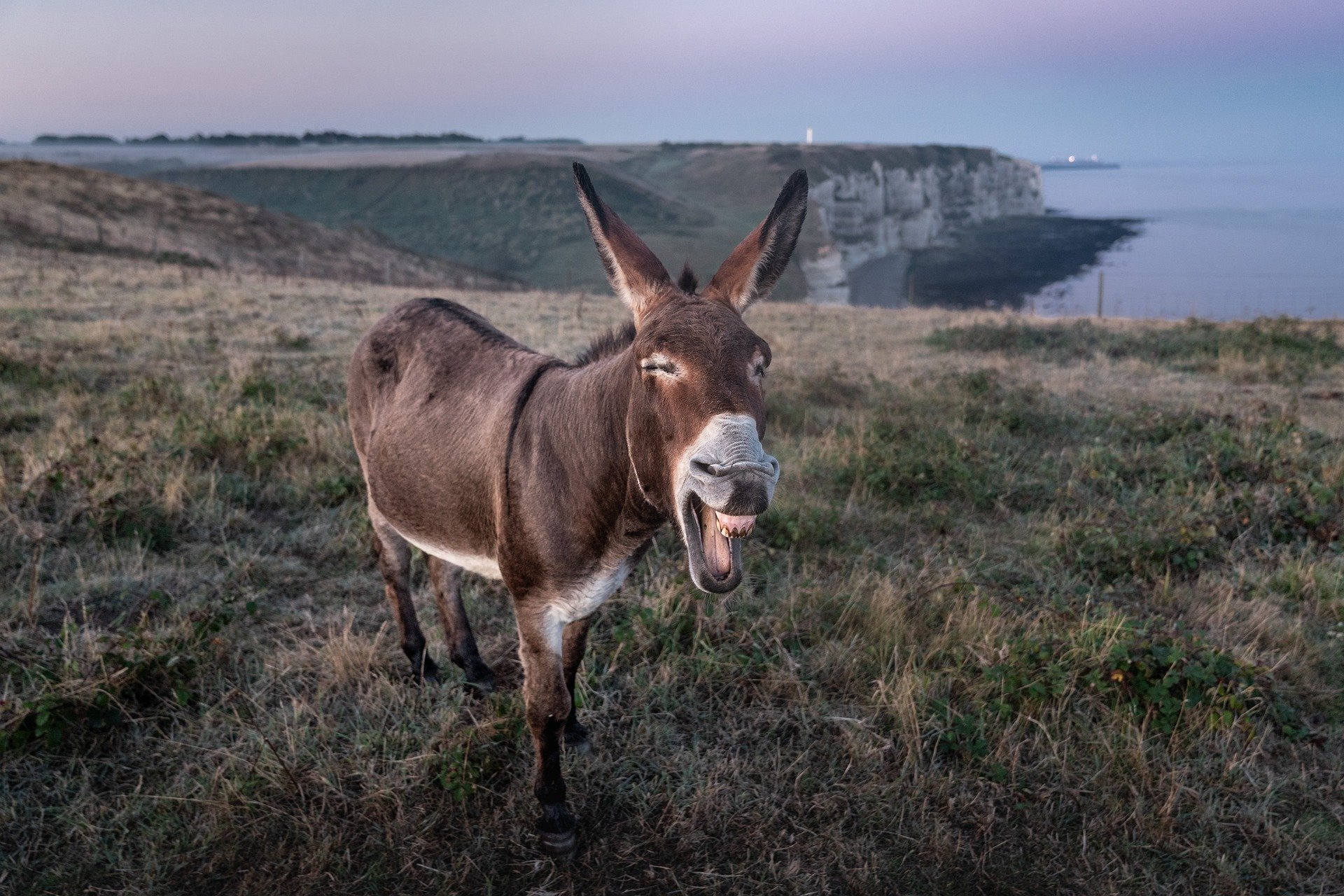
23.3K Retweets 924 Quote Tweets 72.1K Likes
HTML:
<div class="twt">
<div class="twt-header">
<div class="twt-icon-container">
<img class="twt-icon" src="https://i.imgur.com/Q31haWS.jpg">
</div><div class="twt-id">
<span class="twt-name">barry</span><br />
<span class="twt-handle">@barrythebee</span>
</div>
</div>
<div class="twt-content">According to all known laws of aviation, there is no way a bee should be able to fly...🐝</div><img class="twt-image" src="https://scx2.b-cdn.net/gfx/news/hires/2019/donkey.jpg" />
<div class="twt-timestamp">8:14 AM · Oct 2, 2020</div>
<hr class="twt-sep"><div class="twt-stat1"><strong>23.3K</strong> Retweets <strong>924</strong> Quote Tweets <strong>72.1K</strong> Likes</div>
</div>
Explanation: The setup of this code is similar to the previous one
twt-image is where you insert the link to your image
If you want to add more images, simply add the code
<img class="twt-image" src="/" />
as many times as needed.
Tweet with replies
barry
@barrythebee
According to all known laws of aviation, there is no way a bee should be able to fly...🐝
23.3K Retweets 924 Quote Tweets 72.1K Likes

barry @donkey · Sept 5 Replying to @doraemon
blabla
 2
2
 2
2
 2
2
HTML:
<div class="twt">
<div class="twt-header">
<div class="twt-icon-container">
<img class="twt-icon" src="https://i.imgur.com/Q31haWS.jpg">
</div><div class="twt-id">
<span class="twt-name">barry</span><br />
<span class="twt-handle">@barrythebee</span>
</div>
</div>
<div class="twt-content">According to all known laws of aviation, there is no way a bee should be able to fly...🐝</div>
<div class="twt-timestamp">8:14 AM · Oct 2, 2020</div>
<hr class="twt-sep"><div class="twt-stat1"><strong>23.3K</strong> Retweets <strong>924</strong> Quote Tweets <strong>72.1K</strong> Likes</div>
<hr class="twt-sep-reply"><div class="twt-replybox">
<div class="twt-icon-replycontainer">
<img class="twt-icon" src="https://i.imgur.com/GJB38Dv.jpg">
</div><div class="twt-replycontainer">
<span class="twt-name">barry</span> <span class="twt-handle">@donkey · Sept 5</span>
<span class="twt-handle">Replying to</span> <span class="twt-hl">@doraemon</span><div class="twt-replycontent">blabla</div>
<div class="twt-stat2">
<div class="twt-social"><img class="twt-socialimg" src="https://i.imgur.com/dJg9v1v.png">2</div>
<div class="twt-social"><img class="twt-socialimg" src="https://i.imgur.com/UeOnwXk.png">2</div>
<div class="twt-social"><img class="twt-socialimg" src="https://i.imgur.com/eM56CN2.png">2</div>
</div></div>
</div>
</div>
Explanation:
The reply starts after
<hr class="twt-sep-reply">
The rest works same as above.
To add another reply, simply copy this code and add it just before the last </div>:
<hr class="twt-sep-reply">
<div class="twt-replybox">
<div class="twt-icon-replycontainer">
<img class="twt-icon" src="https://i.imgur.com/GJB38Dv.jpg">
</div><div class="twt-replycontainer">
<span class="twt-name">barry</span> <span class="twt-handle">@donkey · Sept 5</span>
<span class="twt-handle">Replying to</span> <span class="twt-hl">@doraemon</span><div class="twt-replycontent">blabla</div>
<div class="twt-stat2">
<div class="twt-social"><img class="twt-socialimg" src="https://i.imgur.com/dJg9v1v.png">2</div>
<div class="twt-social"><img class="twt-socialimg" src="https://i.imgur.com/UeOnwXk.png">2</div>
<div class="twt-social"><img class="twt-socialimg" src="https://i.imgur.com/eM56CN2.png">2</div>
</div></div>
</div>
Tweet with everything!
If you are wondering whether you can combine all of those, yes, yes you can! Check out this behemoth:
barry
@barrythebee
Best friends #forever


doraemon @doraemon · Sept 5
Another one!

23.3K Retweets 924 Quote Tweets 72.1K Likes
barry @donkey · Sept 5 Replying to @doraemon
this is a reply!

2
2
2
HTML:
<div class="twt">
<div class="twt-header">
<div class="twt-icon-container">
<img class="twt-icon" src="https://i.imgur.com/Q31haWS.jpg">
</div><div class="twt-id">
<span class="twt-name">barry</span> <img class="twt-socialimg" src="https://i.imgur.com/wStuVM9.png"><br />
<span class="twt-handle">@barrythebee</span>
</div>
</div>
<div class="twt-content">Best friends <span class="twt-hl">#forever</span> </div><img class="twt-image" src="https://freegametips.com/wp-content/uploads/2019/11/1573594992_Doraemon-Nobita39s-New-Dinosaur-arrives-in-2020-on-Switch-1200x900.jpg" />
<div class="twt-quotebox"><div class="twt-header">
<div class="twt-icon-container">
<img class="twt-iconquote" src="https://i.imgur.com/NzmiXOw.jpg">
</div><div class="twt-id">
<span class="twt-name">doraemon</span> <span class="twt-handle">@doraemon · Sept 5</span>
</div>
</div>
<div class="twt-contentquote">Another one!</div><img class="twt-image" src="https://media1.tenor.com/images/434bedd934f43e68f4d5392ba78174f8/tenor.gif" />
</div>
<div class="twt-timestamp">8:14 AM · Oct 2, 2020</div>
<hr class="twt-sep"><div class="twt-stat1"><strong>23.3K</strong> Retweets <strong>924</strong> Quote Tweets <strong>72.1K</strong> Likes</div>
<hr class="twt-sep-reply"><div class="twt-replybox">
<div class="twt-icon-replycontainer">
<img class="twt-icon" src="https://i.imgur.com/GJB38Dv.jpg">
</div><div class="twt-replycontainer">
<span class="twt-name">barry</span> <span class="twt-handle">@donkey · Sept 5</span>
<span class="twt-handle">Replying to</span> <span class="twt-hl">@doraemon</span><div class="twt-replycontent">this is a reply!</div>
<img class="twt-image" src="https://i.pinimg.com/originals/e0/bc/b1/e0bcb1ce0dbbacade677fa52788cf005.jpg" />
<div class="twt-stat2">
<div class="twt-social"><img class="twt-socialimg" src="https://i.imgur.com/dJg9v1v.png">2</div>
<div class="twt-social"><img class="twt-socialimg" src="https://i.imgur.com/UeOnwXk.png">2</div>
<div class="twt-social"><img class="twt-socialimg" src="https://i.imgur.com/eM56CN2.png">2</div>
</div></div>
</div>
</div>
Explanation:
This looks daunting but it's basically the same things as above, but combined into one. I would advise not to use this too often, as it can be overwhelming.
Final Notes
That's it, I hope it was clear! If you have any bugs/questions/suggestions, please let me know!